


VMLogin is a tool for creating virtual browser profiles that help control browser fingerprinting, set up business workflows, and develop web automation, among other things.
Follow the guide below to learn how to set up our Residential on VMLogin:
Step 1. Download, install and open the app.
Step 2. Click New browser profile.

Step 3. Under Basic configuration, Click on Get random profile or select your settings, then click on Setting proxy server.

Step 4. Under Proxy settings, click Enable proxy server, Proxy settings can choose HTTP/HTTPS/Socks5.
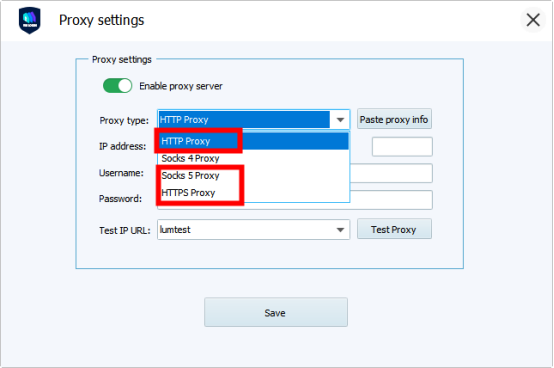
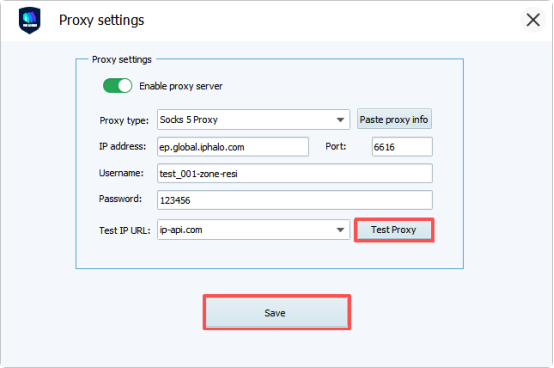
IP address:ep.global.iphalo.com
Port: 6616
Username: User Name (Corresponding to IPHALO Personal Center -Residential– User & Pass Auth – Proxy Generator – User Name)
Password: Password (Corresponding to IPHALO Personal Center -Residential- User & Pass Auth – Proxy Generator – Password)

Step 5. Check if the proxy works by clicking Test Proxy. If everything is fine, click Save and launch the browser.
That’s it! You are good to go.



