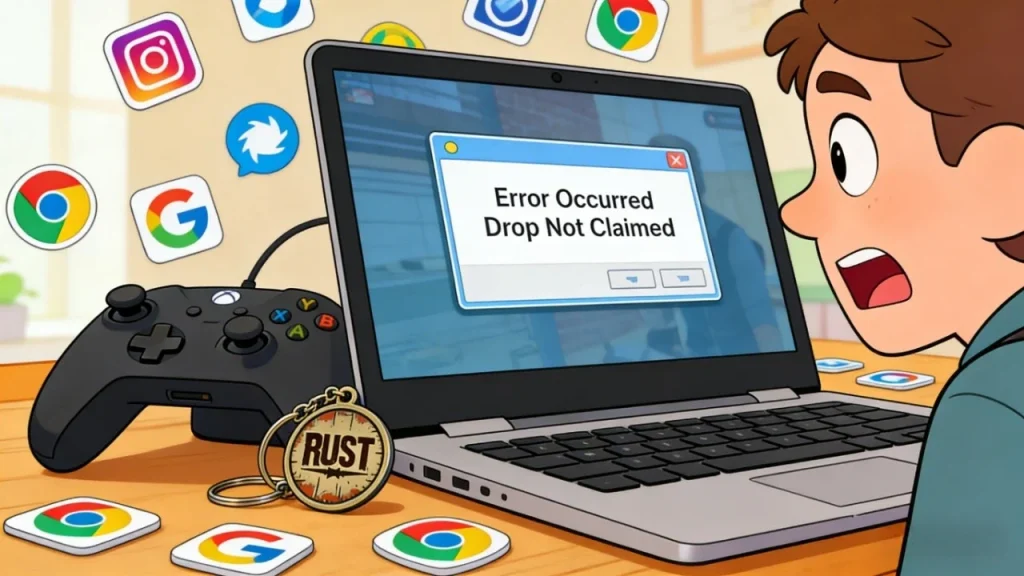
We’ve all been there: You leave a stream running for 4 hours to get that exclusive Rust skin or Valorant beta key, only to come back and see your progress bar frozen at 12%. Or worse, you claim the drop, but it never shows up in your game inventory.
It’s frustrating, and Twitch support is rarely helpful.
Is it your browser? Is it the streamer? Or have you unknowingly triggered Twitch’s anti-bot filters?
In this post, we’re cutting through the generic advice to tell you exactly why drops fail and—for the power users out there—how to scale up and farm rewards on multiple accounts without getting flagged.
Part 1: How Twitch Drops Actually Work (The Mechanics)
Before fixing the issue, you need to understand the mechanism. Twitch Drops aren’t just a simple timer; they rely on a constant “heartbeat” check between your browser and Twitch’s servers.
- Account Linking: You must link your Twitch account to the game developer’s account (e.g., Battle.net, Steam, Riot Games). If this link is broken, the “Claim” button does nothing.
- The “Focus” Check: Twitch detects if you are actually watching. If you mute the browser tab (not the video player) or minimize the window completely, the script stops sending the “active” signal.
- The Manual Claim: Unlike the old system, drops are no longer automatic. Once you hit 100%, you must manually click “Claim” in the Inventory before you can start progress on the next drop tier.
Part 2: Why Are My Twitch Drops Not Progressing? (Troubleshooting)
If you are stuck at 0% or your progress bar stopped moving, try these verified troubleshooting steps first before assuming you are banned.
1. The “Mute” Trap
Do not mute the browser tab.
Modern browsers allow you to right-click a tab and select “Mute Site.” Twitch’s player API can detect this. If the tab is muted at the system level, Twitch assumes you are AFK (Away From Keyboard) and pauses progress.
- Correct Fix: Mute the Twitch video player volume slider instead. This keeps the drop active while silencing the noise.
2. Ad-Blocker Conflict
Aggressive ad-blockers (like uBlock Origin) or privacy extensions often block the tracking script that reports your watch time to the server.
- Correct Fix: Disable your extensions for Twitch.tv or try running the stream in “Incognito Mode” to test if an extension is the culprit.
3. The “Online” Status
Ensure your profile status is set to Online. If you are set to “Offline” or “Invisible,” some older game integrations fail to register your presence in the chat, causing the drop to fail.
Part 3: The “Shadowban” – When It’s Your IP’s Fault
If you have tried all the fixes above and still get the “Error Occurred Drop Not Claimed” message, or if your progress locks up consistently across different browsers, your Internet Connection is the likely suspect.
Twitch has aggressively updated its security to fight “View Botting.”
- Scenario: You share a Wi-Fi connection with roommates or family who are also watching Twitch.
- The Flag: Twitch sees multiple streams running from one IP address. It assumes you are a bot farm and silently “throttles” your drop progress.
This is where a IPhalo secure networkbecomes the essential tool to bypass the filter and restore your account’s standing.
Part 4: The Advanced Guide – Farming on Multiple Accounts
This is where things get technical. Many hardcore gamers want to farm drops for multiple accounts simultaneously—either to get skins for alt accounts or to trade valuable items (like CS2 cases or Rust skins) on the Steam Market.
Warning: You cannot do this by simply opening 10 Chrome tabs.
Why Standard Methods Fail
Twitch uses two main methods to stop multi-account farming:
- Browser Fingerprinting: Twitch reads your browser’s unique data (Canvas, WebGL, Fonts). If 10 accounts try to log in from the exact same browser environment, they are linked and flagged.
- IP Rate Limiting: This is the big one. If Twitch sees 5+ accounts watching from the same IP, it triggers a “Shadowban.”
To farm successfully, you need to isolate each account’s digital environment.
The Solution: Residential Proxies
Serious drop farmers do not use VPNs. VPNs rely on “Data Center IPs,” which are publicly known and often blocked by Twitch. The industry standard for 2026 is usingStatic Residential Proxies.
VPN vs. Residential Proxy for Twitch
| Feature | Standard VPN | Residential Proxy (IPhalo) |
| IP Source | Data Center (Server Farm) | Real ISP (Home WiFi) |
| Detectability | High (Easily blocked) | Low (Undetectable) |
| Multi-Account | Risk of Chain Bans | Safe (Isolated IPs) |
| Drop Success | Low (Often stuck at 0%) | High (Consistent progress) |
How It Works
- 1 IP = 1 Viewer: By assigning a unique Residential IP to each account (via a specialized privacy browser), you look like distinct, real viewers watching from different houses.
- Bypass “Bot” Detection: Since the IP belongs to a real ISP (like Verizon or T-Mobile), Twitch’s security filters treat the traffic as legitimate human activity.
Part 5: Specific Game Strategies (Rust, Valorant, & More)
Different games have different drop rules. Here is how to handle the most popular ones:
Rust Drops (The High Value Target)
Rust drops are notoriously buggy. They often require you to watch specific streamers (“Streamer Specific Drops”) rather than a general category.
- Tip: If a Rust drop gets stuck, unlink your Steam account on the Facepunch website and relink it. If that fails, change your IP immediately. Rust developers are very strict about IP filtering.
Valorant & Overwatch 2 (Beta Keys & Cosmetics)
These drops are often “Region Locked.” For example, a campaign might only be available to viewers in Korea.
- Strategy: Use a Residential Proxy located in the target region (e.g., Seoul). This tricks Twitch into thinking you are physically there, unlocking the exclusive drop button.
Final Verdict: Don’t Waste Your Time
Twitch Drops are a great way to enhance your inventory, but the system is fragile.
- For casual users: Check your volume settings and disable ad-blockers.
- For farmers & power users: Stop fighting the algorithm with a shared IP address. If you are serious about collecting every drop across multiple accounts, the quality of your connection determines your success.
Start farming rewards efficiently with a network built for stability and stealth.
FAQ
Q: Can I watch 2 streams at once to get drops faster?
A: No. Twitch tracks progress by account, not by stream. You can only progress on one campaign at a time per account. However, with multiple accounts and residential proxies, you can progress on all of them simultaneously.
Q: Do I need to claim the drop immediately?
A: Yes. For campaigns with “tiered” rewards (e.g., Watch 1 hour for Reward A, then 2 hours for Reward B), you must claim Reward A before progress starts for Reward B.
Q: Why do VPNs stop Twitch Drops from working?
A: Twitch blocks known VPN data center IP ranges to prevent view-botting. If your VPN is detected, the view counter won’t go up, and drop progress will freeze.
Q: Is it safe to unlink and relink my account?
A: Yes, this is a common troubleshooting step. It refreshes the API token between Twitch and the game developer, often fixing the “Claim Error.”