For digital marketers and dropshippers scaling on TikTok, the platform’s aggressive risk control is a formidable barrier. The error message “Too many attempts. Try again later.” is one of the most common, yet misunderstood, roadblocks.
It appears during login, account registration, or even when attempting to like a post. While the text suggests a temporary rate limit—implying you should simply wait—the technical reality is often more severe.
In most business contexts, this error signifies that your Device Fingerprint or Network Identity (IP) has been flagged as “Non-Native” or “High Risk” by TikTok’s security algorithms. This is not a request to slow down; it is a rejection of your current access environment.
This article dissects the technical triggers behind this error and outlines the infrastructure requirements—specifically regarding Residential IPs—needed to restore account access and scalability.
The Logic of the Block: Why “Later” Never Comes
TikTok (ByteDance) employs some of the most sophisticated device fingerprinting technology in the social media industry. Unlike legacy platforms that primarily check cookies, TikTok analyzes the entire integrity of the connection.
When you see “Too many attempts,” it indicates a failure in one of three critical checks:
- The “Datacenter” IP Flag
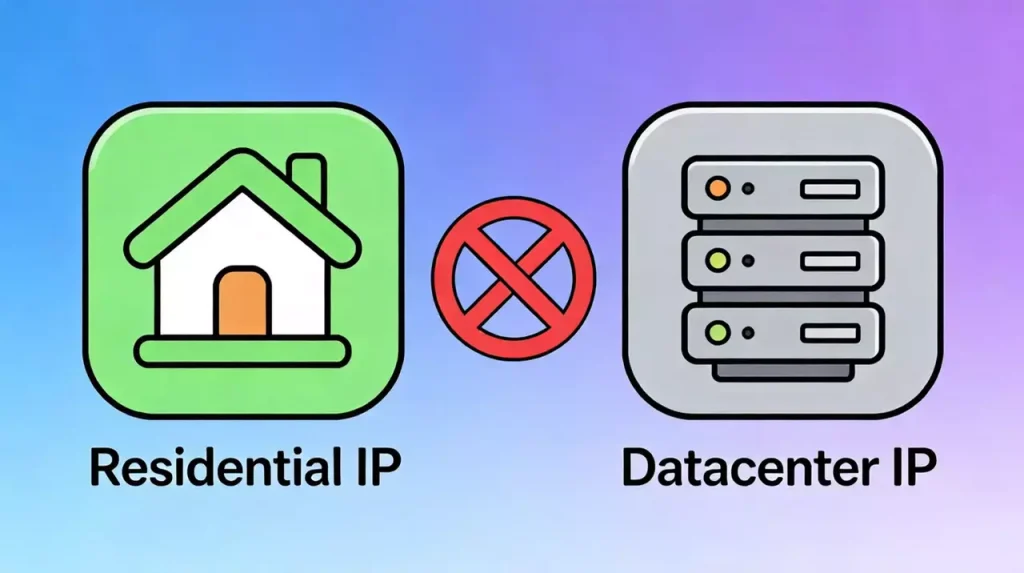
This is the primary trigger for desktop users and bulk account managers. TikTok enforces a strict “Native Consumer” policy. It expects traffic to originate from cellular networks (4G/5G) or residential Wi-Fi. If you are managing accounts via standard VPNs or Datacenter Proxies, your IP address belongs to a commercial server range (ASN). TikTok detects this mismatch immediately. The platform knows real users do not browse from an Amazon AWS server or a cheap VPN node. The result is an immediate block on login or registration capabilities.
- Device Fingerprint Contamination
If you manage multiple accounts from a single device or a standard web browser, you create a “linked” environment. Once TikTok flags one account for suspicious activity, it marks the device’s hardware ID (on mobile) or browser canvas hash (on desktop). Any subsequent attempts to create or log in to other accounts from this same “contaminated” fingerprint will trigger the “Too many attempts” error instantly, regardless of the account’s health.
- Geolocation Mismatch
If your IP address places you in Los Angeles, but your device’s time zone, language settings, or WebRTC leaks point to a different region, the fraud score spikes. This discrepancy is a hallmark of low-quality automation, prompting an immediate block.
Infrastructure Remediation: Re-establishing “Native” Trust
To bypass this error, “waiting it out” is rarely effective because the underlying environmental flaw remains. You must reconstruct a trusted environment that mimics a genuine local user.
The Necessity of Residential Connectivity
Since TikTok aggressively filters Datacenter IPs, the only viable solution for professional operations is the use of Residential Proxies.
- For Account Management (Login/Ads): You require Static Residential IPs (ISP Proxies). These provide a consistent, unbreakable digital identity. They appear as legitimate home Wi-Fi connections to TikTok’s servers, maintaining the long-term trust required for ad accounts and merchant profiles.
- For Mass Registration: You require Rotating Residential IPs. This ensures that every new account registration request originates from a completely fresh, unflagged household IP, effectively bypassing volume limits.
By routing your traffic through a high-quality residential proxy service, you align your network signature with TikTok’s expectations of a “Native User,” removing the primary trigger for the “Too many attempts” block.
Environment Isolation Strategy
For desktop-based management (TikTok Ads Manager, Creator Center), network upgrading must be paired with browser isolation. Using anti-detect browsers ensures that each TikTok profile operates in a siloed container with distinct cookies, local storage, and hardware fingerprints. This prevents “chain bans,” where one flagged account takes down your entire portfolio.
Operational Protocols for Scale
Once the infrastructure is upgraded, maintaining access requires strict adherence to isolation protocols.
- The “One-to-One” Rule: Assign a single Static Residential IP to a single high-value TikTok account. Never rotate IPs on an active, logged-in session, as this mimics account hijacking behavior.
- Session Persistence: Utilize cookie management to maintain login states. Frequent logging in and out is a behavioral red flag. By keeping the session active within a secure environment, you can manage your TikTok ad accounts securely and access dashboards without triggering the sensitive login security checks.
- Warm-up Phases: When migrating a flagged account to a clean Residential IP, reduce activity volume for the first 24 hours. Allow the algorithm to re-calibrate the trust score for the new network environment.
FAQ: Technical Troubleshooting
Q: Can I fix this by resetting my phone?
A: On mobile, a factory reset might clear the Device ID, but only if you also change your IP address. If you reset the phone but connect to the same flagged Wi-Fi, the error will persist.
Q: Why does this happen on the Web Browser version?
A: The web version relies heavily on IP reputation and Browser Fingerprinting. It is actually easier to trigger “Too many attempts” on the web if you are using a shared VPN, as the IP quality is usually the bottleneck.
Q: Is this error a permanent ban?
A: It is a “Soft Ban.” It prevents action but doesn’t necessarily delete the account. However, persistent attempts using the same dirty infrastructure can escalate this to a permanent “Account Suspended” status.
Conclusion: The Cost of Infrastructure
The “Too many attempts” error is a filter, designed to separate genuine users from bulk automation and cheap connectivity.
For businesses, this is a signal that your current network infrastructure is insufficient for the scale of your operations. Relying on public nodes or datacenter connections is no longer a viable strategy for TikTok.
Upgrade to a native, residential network architecture to ensure business continuity. Start your optimized journey here and secure the compliant, high-trust access your TikTok operations demand.