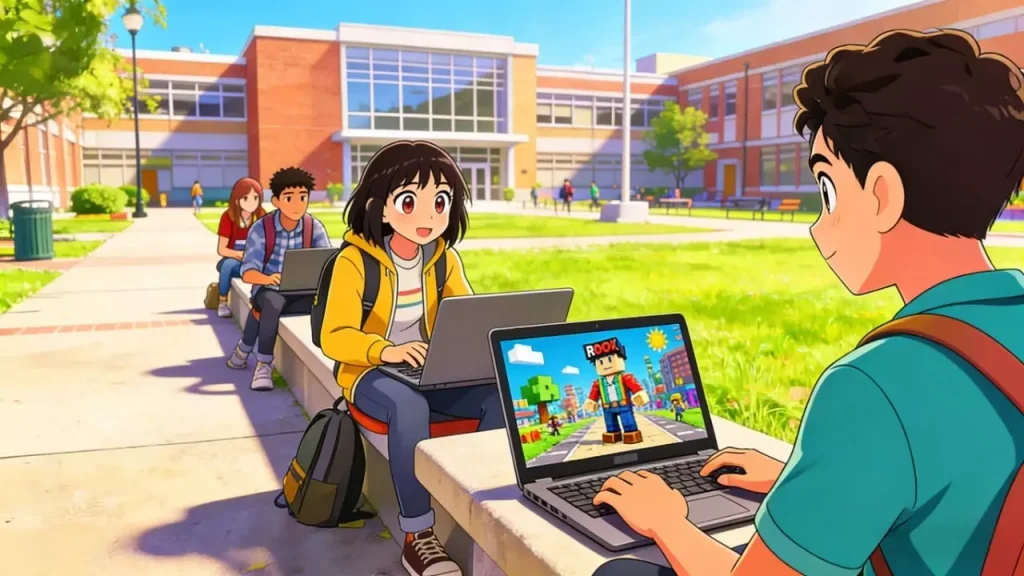
We’ve all been there: it’s a free period, you’re done with assignments, and you just want to jump into Brookhaven or grind some levels in Blox Fruits. But the moment you type the URL, you hit the dreaded “Access Denied” screen.
Searching for Roblox Unblocked at School usually leads to a maze of sketchy mirror sites that are either blocked, broken, or full of ads. The school network admin always seems to be one step ahead.
Why is it so hard to get a connection? And more importantly, is there a method that actually works without compromising your account? Let’s break down the tech behind the blocks and the professional way to get around them.
The “Cat and Mouse” Game: Why You Keep Getting Blocked
School Wi-Fi isn’t just a standard internet connection; it’s a fortress. Administrators use enterprise-grade firewalls to filter out anything labeled “Gaming.”
When you try to load the game, two things usually happen:
- Domain Filtering: The network sees you asking for roblox.com and immediately drops the packet because that domain is on a blacklist.
- Port Blocking: Even if you find a “mirror site” to load the login page, the actual game client uses specific data ports (like UDP 49152-65535). Schools often close these ports completely.
This is why simple tricks like “Google Translate” or “Cloud Gaming” proxies stop working after a week. The admin sees the traffic spike and patches the hole. To beat this, you need a connection that looks boringly normal—something that relies on a IPhalo secure network.
Why “Free Unblocker” Sites Are a Bad Idea
It is tempting to click the first result for “free unblocked games,” but these sites are often traps.
- The “Lag” Factor: Free proxies route thousands of students through a single cheap server. The result? Your ping skyrockets to 500ms+, making the game unplayable.
- Account Phishing: Many mirror sites look like the real login page but are designed to harvest your password. Losing your Level 2000 account isn’t worth 10 minutes of playtime.
- Device Security: These sites are notorious for running crypto-miners in the background, which heats up your laptop and triggers antivirus alarms—alerting teachers instantly.
The Pro Method: Using Residential Proxies
Tech-savvy users and network enthusiasts know that standard VPNs (Virtual Private Networks) rarely work in schools anymore. Modern firewalls use “Deep Packet Inspection” (DPI) to spot VPN protocols and block them instantly.
The only way to stay truly under the radar is to change your “digital identity” at the ISP level using undetectable residential proxies.
Why This Works When VPNs Fail
A Residential Proxy routes your connection through a real, legitimate home IP address (e.g., a Comcast or AT&T connection) rather than a data center server.
To the school’s firewall, your traffic doesn’t look like you are trying to tunnel out to a game server; it just looks like a standard, safe web request to a residential house. This makes it incredibly difficult for automated filters to detect or block.
- Stealth: Bypasses DPI checks.
- Speed: Direct routing reduces the lag spikes common with free tools.
- Safety: Your real browsing activity is hidden from the local network sniffer.
Important: Play It Safe
Before you try to bypass any restrictions, keep in mind that school IT departments monitor traffic for security reasons.
- Respect the Rules: Only game during authorized break times. Getting caught playing during a lecture is a surefire way to lose your device privileges.
- Protect Your Data: Never download executable files (.exe) from unverified proxy sites onto a school computer.
- Know the Limits: If your school computer has locked “Admin” settings, you might not be able to configure network settings directly. In this case, this method works best if you are allowed to bring your own device (BYOD) like a personal laptop or tablet connected to the school Wi-Fi.
Final Thoughts
The search for Roblox Unblocked at School is frustrating because free methods are temporary at best and dangerous at worst. As filters get smarter, the old tricks stop working.
If you are serious about privacy and want a connection that doesn’t get flagged every other day, upgrading to a residential IP infrastructure is the only long-term fix.
Start unblocking todayand experience the difference a premium connection makes.
FAQ
Q: Will the school know I’m playing if I use a proxy?
A: A high-quality residential proxy encrypts your destination. The school can see you are sending data, but they cannot easily see what that data is (i.e., they won’t see “Roblox”).
Q: Can I use this on a Chromebook?
A: It depends on the admin settings. If the school manages the Chromebook, they may block proxy extensions. This method works best on personal devices connected to the school network.
Q: Why is my ping so high on free proxy sites?
A: Free sites are overcrowded. You are sharing bandwidth with thousands of other users, creating a bottleneck. Private residential proxies give you a dedicated lane.